
Use High-Quality Images
By default, posts pulled from your sources use optimized images to provide a good balance of quality and performance. If needed, you can enable the “Use high quality images” option to use higher-resolution images.
This feature is available on Business plans and above.
Where to Find It
You can enable this feature from your Publish page → Post tab → “Use high quality images”
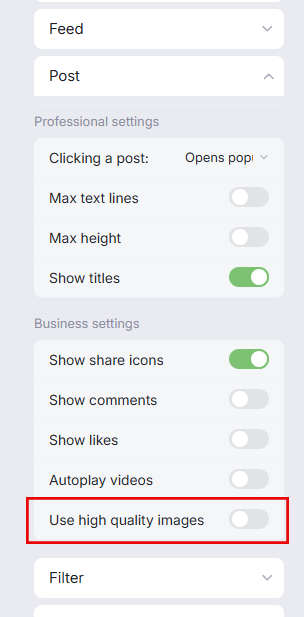
Enabling high-quality images may have a slight impact on loading performance.
Supported Sources
This feature only applies to posts pulled by the following sources:
Instagram or Instagram Business
Slack
TikTok
LinkedIn
Facebook Page
Premium Google Reviews Premium
This option is limited to posts on the sources listed above. Posts from unsupported sources won’t be affected.
Best Practices
Use high-quality images when:
Visual quality is a priority (e.g., marketing posts, branding content)
You want sharper images on supported sources
Avoid or use cautiously when:
Performance and loading speed are critical
Users may be on slower connections