
Limit Posts by Timeframe
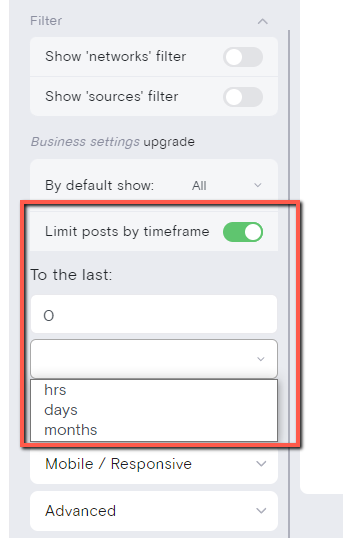
The "Limit post by timeframe" filter lets you control which posts appear in your feed based on how recently they were published. This is useful for displaying only fresh, current content.
This feature is accessible during trial and on Business plan and above.
How the filter works
The filter uses three time units—hours, days, and months—each calculated differently:
Hours
Displays posts from the last X hours and partial hour. If you select 4 hours, the feed shows posts published from 0 minutes to 4 hours 59 minutes ago.
Days
Displays posts from complete calendar days counting back from today. If you select 1 day, only today's posts appear—posts timestamped "yesterday" are excluded. Setting 2 days includes today plus yesterday's posts.
Months
Works like days but counts back by calendar months from the current date. If today is June 23 and you select 1 month, the filter goes back to May 23 at 00:00:00. The exact number of days varies by month (30 or 31 days).
The timeframe setting does not reject or delete any posts from your feed. It simply controls which posts are displayed based on the selected range.
Where to find it
Navigate to the Publish section in your Curator dashboard, then look for the Filters area. The "Limit post by timeframe" option appears alongside other post filters.
For more details on managing your feed content, see The Curation Workflow.